Get started with initio
How do I get a quote with initio?
Getting a house insurance quote with initio is quick and simple. Just pop your property address into our quick quote tool and we’ll do the heavy lifting for you. You’ll see your premium instantly and can customise your cover to suit your needs.
When you’re ready, choose either annual or monthly payments and follow the prompts to buy online – no paperwork, no waiting.
For more details, check out our step-by-step guide to buying your first house insurance policy.
Key takeaways
- Getting an insurance quote with initio is quick and starts with your property address.
- In most cases, our quote tool automatically retrieves your property’s key details.
- You do not need an account to get a quote with initio.
- You’ll need to confirm a few details, including your home’s approximate size, rebuild cost, age, and your preferred policy start date.
- You can estimate your rebuild cost using the Cordell SumSure Calculator if you’re unsure.
- Once you’ve purchased a policy, you’ll receive login details for your secure online dashboard.
- Your dashboard lets you manage your policy, download documents and make changes online at any time.
- If you’ve forgotten your login details or aren’t sure which email address you used, our support team can help.
What information do I need to get a house insurance quote?
Most of the time, all you need is your property address, and our quick quote tool will pull in the important details. You might just need to answer a few simple questions, including:
- Approximate house size (no exact measurements needed)
- Estimated rebuild cost (your “sum insured”)
- Age of the home
- The date you want cover to start
Not sure about your rebuild cost? Our quote tool links to the Cordell SumSure Calculator, which helps you estimate it. You can also read our guide to choosing your sum insured for more details.
How long does it take to get a quote?
This short demo puts our quote tool through its paces to show how fast and easy it is to use.
How do I log in?
If you already have a policy with initio, you’ll have access to your dashboard to manage your insurance. Login details are emailed to you when you buy your policy. Login here
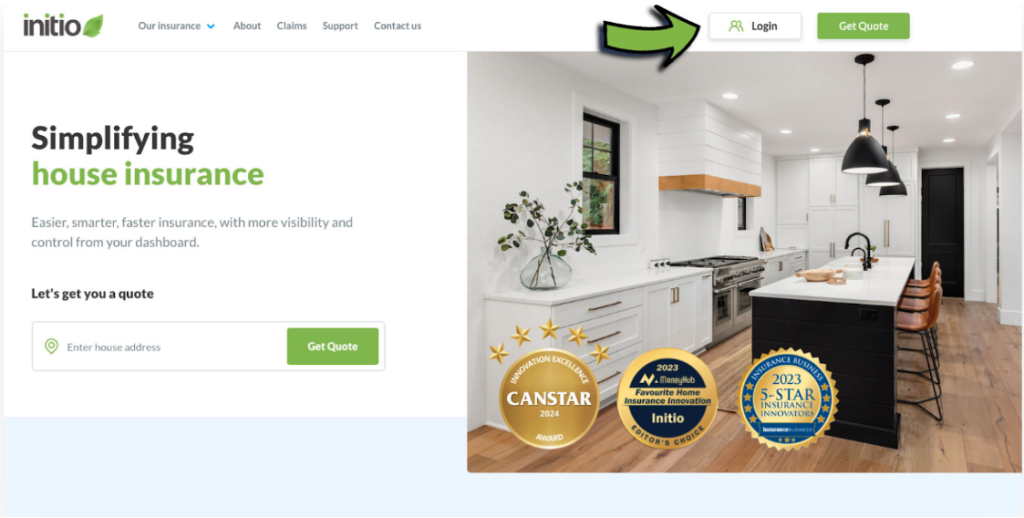
To log in:
- Enter the email address you used when purchasing your policy.
- Enter your password.
- If you’ve forgotten your password, click Forgot my password and follow the steps.
If you’re not sure which email you used, contact our team, we can help.
Logins are only provided once you’ve purchased a home policy with initio.
Frequently asked questions
Can I get a quote without knowing all my property’s details?
Yes. In many cases, all you need is your property address. Our quote tool will automatically retrieve much of the information and only ask you to confirm or complete a few details.
Can I save my quote and come back later?
Yes. You can save your quote and return to it later if you need more time before purchasing.
(Link to your “Save and restore a quote” article once it exists, or the relevant guide if it already does.)
When do I receive my dashboard login?
Your login details are emailed to you after you’ve purchased your first policy with initio.
What if I forget my password?
Select Forgot my password on the login page and follow the prompts to reset it. If you’re unsure which email address you used, contact our support team for assistance.
Related articles