What if my online insurance quote isn’t straightforward?
Most quotes with initio are fast and simple. However, sometimes additional review is required. This may happen due to mapping discrepancies, flood zone data, new build addresses, or property-specific risk factors.
This guide explains common reasons your quote may not proceed instantly and what to do next.
Quick summary
-
If your address does not appear, you can enter it manually.
-
Flood zone data may differ from council maps.
-
Flood cover cannot be removed from the policy.
-
Some quotes require underwriting review before cover is offered.
-
Risk-based pricing is automated and cannot be manually adjusted.
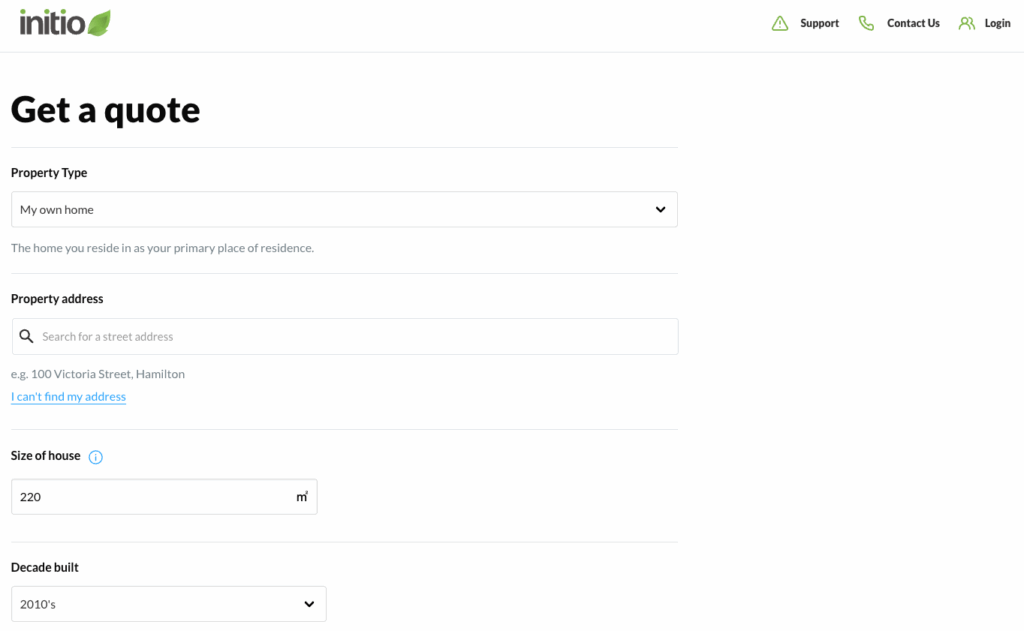
I can’t find my address in the quote tool
If your address does not appear in the search results:
-
Select the blue option under the address box that says “I can’t find my address”.
-
Enter your house number and street manually.
If your property is a new build in a newly developed street, our database may not yet recognise it. In this case, please contact our team for assistance with a manual quote.
Why does your website say my home is in a flood zone?
Initio uses national risk modelling data from RMS (Risk Management Solutions). This data may differ from your local council’s flood maps. RMS uses:
-
Advanced modelling techniques
-
Nationally standardised datasets
-
Updated hazard modelling
Local councils may use:
-
Different methodologies
-
Older datasets
-
Localised mapping approaches
Because of these differences, your property may be flagged differently across platforms.
If you believe there is an error in your flood classification, please contact our team to discuss your situation.
Can I remove flood cover if I live on a hill?
No.
Flood cover is automatically included in the policy and cannot be removed or excluded. The policy is designed to provide comprehensive protection, including unexpected events.
Even elevated properties can be affected by surface water, land movement or drainage overflow.
Can you manually adjust my risk-based pricing?
initio uses automated risk-based pricing.
Your premium is calculated using:
-
Property location
-
Construction type
-
Exposure to flood, earthquake and other hazards
-
Water supply and fire protection access
Individual manual pricing adjustments or exclusions are not available.
If you believe there is a significant data error affecting your quote, please contact our team for review.
The water supply matters because it affects the risk of significant damage in the event of a fire.
Properties closer to:
-
Fire stations
-
Mains water supply
are generally lower risk than properties in remote areas relying solely on rainwater tanks.
This is one of several factors used to calculate your house insurance premium.
Learn more about how premiums are calculated
The map image above my quote isn’t my house
The map image displayed during your quote is automatically generated using address data.
It is for reference only and does not affect your insurance cover or policy details.
For new builds or recently developed areas, the image may not reflect the exact property.
If you are concerned about your address accuracy, please contact our team.
My quote says it needs review. What does that mean?
If your quote requires review, it means additional underwriting checks are needed before cover can be offered.
This may be triggered by:
-
Unique property features
-
Location-based risks
-
Incomplete or unusual data
-
System flags requiring manual assessment
What do I do if my quote needs review?
-
Select either the annual or monthly payment option.
-
Complete and submit the online application form.
Once submitted, our team will review your application and contact you directly.
There is no obligation to purchase once the review is complete.
If you are insuring multiple properties, wait until the first application is reviewed and purchased before submitting the next. This allows all properties to sit under one account.
Can I start a new quote?
Yes.
If you want to double-check your details or start fresh, you can generate a new quote online at any time. The quote tool will guide you step-by-step.

Frequently asked questions
Why would a quote need manual review?
Certain property features or risk factors require additional underwriting checks before terms can be confirmed.
Does a flood flag mean I cannot get insurance?
Not necessarily. It means flood risk has been identified and may be factored into an underwriting decision.
No. The policy provides comprehensive cover and does not allow removal of core insured events.
Related articles